

A CCTV control room can become a weak point if anyone can enter, recordings are handled inconsistently, or operators do not know what to do when systems fail. For a commercial property manager, how to secure a CCTV control room means planning the room, the people, the camera system, and the response process together. The recommendations below are a planning framework; adapt them to your building, technology, privacy obligations, and written policies.
Call (833) 272-7247 to discuss a free security consultation.
Start with the room’s role and boundaries
Before changing locks or adding technology, define what the control room is responsible for. Some commercial properties use a room to view camera feeds, coordinate guards, review an event after it occurs, or manage video equipment. The room’s purpose affects who needs access, what information they can see, and what should happen if the system or building loses power or connectivity.
Write down the systems and functions located there. Include camera workstations, recorders, network equipment, alarm interfaces, access-control consoles, communication devices, and any paper records or removable media. The list does not have to describe technical configuration details. It should help the property team identify what needs protection and who owns each part.
Set a clear boundary between the control room and areas intended for visitors or general staff. The door, adjacent corridor, shared work areas, and equipment closets may all affect practical access. Decide whether the room is continuously staffed, used only during certain shifts, or entered for maintenance. If there is no dedicated room, identify the workstation or cabinet that serves the same function and apply suitable controls to that space.
Make a simple room-and-system map for the people who need to coordinate protection. It can identify the room, controlled doors, camera workstations, recording equipment, network support contact, and business owner for each function without exposing passwords or sensitive configuration. Mark which responsibilities belong to property management, IT, security staff, and a service provider. Where responsibility crosses teams, name the person who approves decisions and the person who records completion. This prevents an access issue, system fault, or footage request from being passed between departments without an owner. Keep the map current when equipment moves or responsibilities change, and share it only with staff who need it.
For broader planning, review the property’s commercial security service approach and its CCTV system information. These pages provide context about security and CCTV-related support; they do not replace a site-specific technical design or establish the property’s internal procedures.
How should you control physical access?
Limit entry to people with a business reason to use the room. Depending on the building, authorized groups might include designated security staff, property management, approved system administrators, and scheduled service technicians. Avoid treating a job title or general building access as automatic permission to view or change surveillance systems.
Choose a method that can identify authorized users and show who entered. A controlled key, badge, or other access system may fit, but the property should decide what is appropriate for its existing infrastructure. If an access-control system is used, define who can grant, change, and revoke credentials. Give every credential to an individual rather than sharing one access code across a team.
- Keep access limited. Record the roles that need entry and the reason for each role.
- Manage changes promptly. Establish who removes access when duties change or a person no longer needs it.
- Protect the entrance. Position the desk and displays so a person outside the room cannot casually view sensitive screens.
- Address equipment access. Identify whether recorders, network devices, storage media, or configuration consoles need a separate barrier or administrator approval.
- Review exceptions. Decide how after-hours access, emergency entry, and maintenance visits are authorized and documented.
Do not assume that installing a badge reader, camera, or lock completes the job. A control is only useful when someone owns the access list and checks whether it still matches current duties. Choose a review interval that fits your risk and operating needs, and document who performed the review and what changed.

What should a visitor procedure cover?
Service vendors, technicians, auditors, and other visitors may have a legitimate reason to enter. They should not be treated like routine occupants. Decide in advance who can approve a visit, how identity and authorization are confirmed, whether an escort is required, and which parts of the room the visitor may access.
A simple procedure can specify that the host records the visitor’s name, organization, purpose, arrival and departure times, approving contact, and any equipment or work performed. Do not collect more personal information than the property needs. Tell visitors what they may not photograph, copy, or discuss, consistent with your policies and applicable requirements.
For work that changes a system, the property should determine whether a work order or written approval is needed, who will observe the work, and how the equipment is returned to service. When the visit ends, confirm that temporary access has ended and note any outstanding issue. These are planning questions for the property; the specific sign-in, escort, authorization, and confidentiality procedure must be set by the organization operating the room.
Commercial properties that also manage public or tenant entry may find it useful to compare their control-room plan with a broader visitor management approach. Guard-led access control and visitor management can support a property’s overall process, while the room owner remains responsible for defining who is permitted into the control room itself.
How can you reduce cyber and system risks?
A room can be physically restricted and still expose camera systems through poorly managed accounts, remote access, or connected equipment. Work with the organization’s IT team and the camera-system administrator to identify how video devices connect, who administers them, and which vendor accounts or remote support paths are active. Do not make technical changes without understanding operational impact and authorization.
Use the following as questions for the responsible technology team, not as a claim that one checklist fits every system:
- Are operator and administrator accounts assigned to named people, with permissions that match their duties?
- Can staff explain how credentials are issued, changed, protected, and removed?
- Who approves remote access, how is it limited, and how is its use reviewed?
- Who evaluates and schedules updates for cameras, recorders, workstations, and related software?
- Are camera and recording systems connected in a way that has been reviewed by the organization’s network and security administrators?
- How are system alerts, unusual access, and suspected account compromise reported and investigated?
- Are vendor responsibilities, support contacts, and access conditions documented?
For current public-sector cybersecurity guidance and resources, consult the Cybersecurity and Infrastructure Security Agency and ask your IT or cybersecurity lead to apply relevant guidance to the actual equipment and network. Avoid relying on default settings or assuming that a device is secure because it is new. A technical review should account for the property’s architecture, vendor support, and operating requirements.
Assign a named owner to coordinate system changes. Before a planned change, decide who approves it, who performs it, how the property checks expected functions afterward, and how to report a problem. Keep a record of the change and the person responsible. If a system change could affect the camera view, recording, or alert path, make sure the appropriate building and security contacts know about it.
ASAP Security Guards describes CCTV monitoring-equipment installation support as part of its corporate security offering, along with access-control implementation support. For a property evaluating those needs, contact the company to discuss the site’s requirements. Compatibility, system configuration, and cybersecurity practices should be assessed for the specific environment rather than assumed.
Call (833) 272-7247 to discuss a free security consultation.
How should you protect recordings and incident information?
Video may capture employees, tenants, customers, deliveries, or other identifiable activity. Decide who may view footage, what business purpose is required, and how requests are approved. Access should be limited to people with a defined role. Avoid casual viewing, personal copies, or sharing clips through unapproved channels.
Set retention and deletion rules with the people responsible for privacy, legal, records, and system administration. The appropriate period depends on the property’s obligations, business needs, and system capacity; there is no single retention period that fits every commercial site. Document the rule, the person who owns it, and how exceptions are approved when an incident, request, or legal hold requires preservation.
When footage must be reviewed or shared, define an authorized process. The property should specify who identifies the relevant camera and time range, who approves an export, where the copy is stored, how its recipient is verified, and how the action is recorded. If a clip may be needed for an investigation or formal proceeding, follow the organization’s legal and evidence-handling direction. This guide does not set a chain-of-custody procedure or substitute for legal advice.
Protect access to exported material as carefully as the original recording. Decide whether exports may be stored on removable media, who can make a copy, and how an approved copy is transferred and later disposed of. Keep the access record itself in a location limited to authorized staff. Be explicit about how to respond if footage is missing, corrupted, disclosed to the wrong person, or requested by someone who lacks authority.
For guard activity records, ASAP describes its Digital Activity Reports as GPS-tracked, timestamped records with photo and video documentation capability, real-time client transmission, and audit-ready digital records. These reports document guard activity; they are not a substitute for the property’s CCTV recording retention or video-export process. See the overview of Digital Activity Reports and traditional guard logs for that separate reporting context.
What should operators do during a shift?
Good operator practices start with written expectations. Define which screens and functions each role may use, what conditions require notification, and who can authorize a response. Keep the instructions short enough to use during normal operations. Staff should know how to report a camera view that is unavailable, an equipment fault, a concerning observation, or an access issue without improvising an unapproved response.
For a staffed room, decide how responsibility transfers when an operator takes a break or hands over a shift. A handoff record might note unresolved system issues, open incidents, equipment taken out of service, and contacts already notified. The property should decide what information belongs in that record and who may see it. Do not leave a shared account logged in or a screen displaying footage when the workstation is unattended.
Written post instructions can help clarify responsibilities for security personnel assigned to the property. Review the principles in this guide to security guard post orders, then adapt any site instructions to your own building, systems, and approval structure. Post instructions should not give an officer technical administrator duties unless those duties are expressly authorized and appropriate.
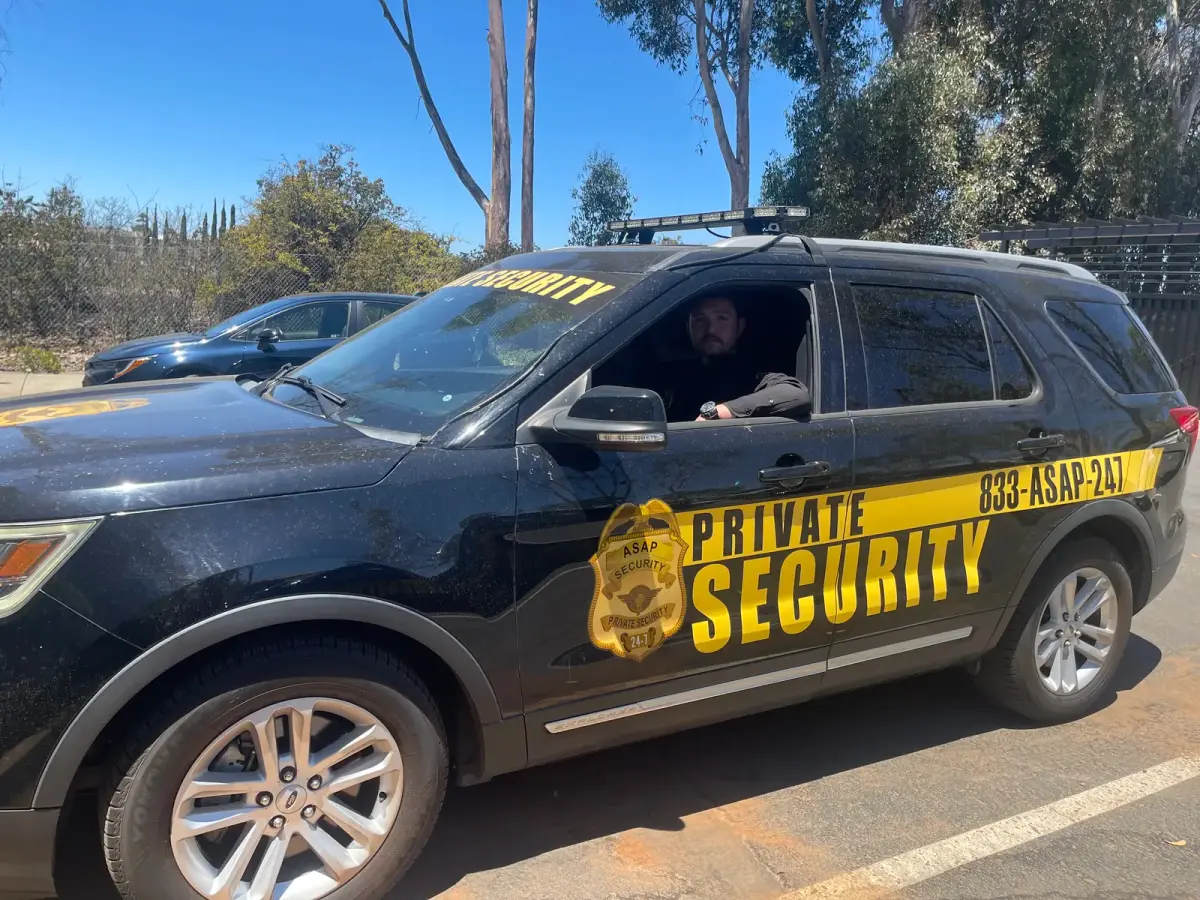
When a guard is part of the property’s security plan, define the division of responsibility. A guard may support access control, visitor management, deterrence, and incident reporting in a commercial setting. The building’s designated technology administrator should remain responsible for system configuration and technical decisions unless the parties have expressly agreed to a different qualified role. For more on guard responsibilities in a commercial environment, see ASAP’s corporate security services.
Build a practical continuity plan
A secure control room also needs a plan for when it is unavailable. Consider power failure, network disruption, recorder or workstation failure, loss of room access, and a situation that requires staff to leave the area. The aim is not to promise uninterrupted CCTV coverage. It is to know who makes decisions, how the property communicates, and what temporary measures are authorized.
Write down the reporting path for a failure: the person who first identifies it, the manager or technical contact to notify, the vendor or support contact, and the person who decides whether another security measure is needed. If guards are assigned, explain what they should do within their authority while a system is unavailable and how they report status. Decide how management will be updated and how the outage and restoration will be documented.
Consider a fallback that matches the property’s risks and resources. Options may include a designated alternate workstation, a manual access-control process, additional attention at an entry point, or temporary staffing adjustments. These are examples for a manager to evaluate, not a prescribed ASAP procedure. Any fallback should preserve life safety, comply with site policy, and avoid creating new privacy or access risks.
Test the contact list and decision path periodically. A tabletop review can ask: Who receives the first call? Who can approve a temporary measure? How will staff know when normal service returns? What record is required? If the answer depends on one person, name a backup. Following a real outage, review what happened, update the instructions, and assign an owner and completion date for each corrective action.
| Control area | Property manager should define | Evidence to keep |
|---|---|---|
| Room access | Authorized roles, credential changes, exceptions, and periodic review | Current access list and review record |
| Visitors and vendors | Approval, identity check, escort decision, permitted work, and exit process | Visit record and work authorization |
| Cyber and system changes | Account ownership, remote access, updates, change approval, and escalation | Administrator contacts and change records |
| Recordings | Viewing authority, retention, export approval, storage, and exceptions | Access and export records under the property’s policy |
| Operations and outages | Operator roles, handoffs, failure reporting, temporary measures, and restoration | Shift notes, incident documentation, and outage review |
How do guards and CCTV fit together?
Cameras can provide information about activity, while people on the property can manage access, speak with visitors, observe conditions, and report incidents. The two functions may complement each other, but neither should be treated as a complete substitute for the other. A camera view does not by itself establish who is authorized to act, and a guard should not be expected to make technical changes without permission and training.
For each operating period, set out who watches or reviews the system, if anyone; who receives an alert or report; what action is permitted; and how the manager is informed. Do not assume a vendor or security provider is continuously watching live camera feeds unless that scope has been expressly confirmed. Specify the agreed service, hours, responsibilities, and escalation path in writing.
ASAP Security Guards states that it maintains live human dispatch around the clock and coordinates with guards, clients, and emergency services. Its general response process includes assessment by a live dispatcher, deployment of the nearest available unit when appropriate, client updates, and incident documentation. Confirm what is included for your property and do not treat that general dispatch description as a CCTV-video alert protocol. The company’s service-area information can help a manager check geographic fit within its published coverage.
What should you include in the first review?
A focused review does not need to begin with a technology purchase. Start with a walk-through and a conversation among property management, security, IT, and the people responsible for privacy and records. Use questions that expose gaps without assuming the answer:
- Which room, workstation, and equipment are part of the CCTV control function?
- Who has authorized access today, and who can approve or revoke it?
- How are technicians and other visitors approved, accompanied, and documented?
- Who administers user accounts, remote access, system updates, and configuration changes?
- What is the property’s approved process for viewing, exporting, retaining, and deleting footage?
- Who receives reports about faults or incidents, and who can authorize temporary measures?
- What happens during an operator handoff, room closure, or system outage?
- Which written procedures are missing, outdated, or unclear to the people who use them?
Assign each gap to a named role and set a practical target date. Separate immediate actions, such as correcting an outdated access list, from items that require technical assessment or management approval. After changes are made, confirm that the revised procedure is available to the people who need it and that the right owner will maintain it.
Call (833) 272-7247 to discuss a free security consultation for your commercial property.
Frequently asked questions
Who should be allowed into a CCTV control room?
Only people with an assigned business need and authorization from the property. Define approved roles, identify who grants access, and remove access when it is no longer needed. Apply a separate approval and documentation process for visitors and service technicians.
How often should a property review control-room access?
Set an interval that reflects staff changes, system sensitivity, and the property’s operating conditions. Also review access after a role change, departure, vendor change, or suspected misuse. Record who completed the review and any action taken.
Should the control room be monitored continuously?
That depends on the property’s risk, staffing, camera purpose, and agreed service scope. State explicitly whether anyone is expected to watch live feeds, during which hours, and what happens when an event is noticed. Do not assume a camera system or security provider includes live observation without confirming it in writing.
Does CCTV replace on-site security?
No. Video equipment and on-site personnel perform different functions. Cameras can support awareness and later review; personnel may manage entry, interact with visitors, deter misconduct, and report incidents. A property should define how those roles coordinate and who owns system administration.
What is the first step if the CCTV system goes down?
Use the property’s approved failure-reporting path: notify the responsible manager and technical contact, record what is affected, and follow authorized temporary measures. The continuity plan should identify who can approve those measures and how staff will learn when service is restored.
Make the plan specific to your property
A CCTV control room is more secure when the property can explain who enters, who operates the system, how recordings are handled, and what happens when a person or technology is unavailable. Put those decisions in writing, confirm that the responsible teams agree, and review the plan when the building, system, or operating model changes.
