

Visitor management security is more than asking a guest to sign a log. For an office or other facility, it is the people, procedures, and tools that help determine who may enter, where they may go, and how staff respond when plans change. A clear process can welcome legitimate visitors while reducing uncertainty at the entrance.
Call (833) 272-7247 to discuss facility security
What should visitor management security accomplish?
A useful visitor process balances access, hospitality, privacy, and daily operations. It should help staff answer a few basic questions consistently: Who is arriving? Who are they meeting? Is the visit expected? Which areas are appropriate for them? What happens if the host is unavailable? If staff cannot answer these questions quickly, visitors may wait without direction or move through a building without clear authorization.
The right process depends on the facility and the consequences of an unauthorized entry. A small office with scheduled meetings may have one staffed entrance and a simple confirmation step. A larger property may have several entrances, receiving areas, contractors, evening activity, and a reception desk that is not staffed at all hours. The procedures should reflect those differences rather than copying a generic checklist.
The goal is not to add friction for its own sake. Make the approved path easy to understand and exceptions easier to notice. Employees and visitors should know where to go, how an appointment is checked, and whom to contact when something does not match the plan. A visitor should not have to guess whether to wait, call a host, or try another door.
How should a facility map the visitor journey?
Begin by walking the visitor journey from arrival to departure. Include the main entrance, reception, parking and loading approaches, elevators, restricted doors, and after-hours entry points. Observe where people naturally stop, what staff can see from their work area, and where a new arrival might be uncertain about the next step. Do the walk-through at different times if traffic or staffing changes by shift.
- List visitor types. Include scheduled guests, unscheduled visitors, interviewees, vendors, delivery drivers, contractors, event attendees, and people responding to an emergency. Each group may have a different destination or check-in need.
- Mark the authorized entry points. Identify the entrance for each type of visit. Make clear which doors are public entrances and which are for employees, deliveries, or emergency use.
- Assign an owner. Decide whether reception, a site employee, or a trained security officer handles each interaction. Name the alternate when the usual person takes a break or leaves for the day.
- Set host-confirmation steps. State how staff verify that the host expects the visitor. Identify who can approve a visit when the host cannot be reached.
- Plan the route and departure. Clarify whether the guest is directed or escorted, which spaces are off limits, and how temporary credentials are returned or deactivated.
Test the draft against an ordinary arrival and an exception. For example, a scheduled vendor arrives ten minutes early while the host is in a meeting. The written process should say where the vendor waits, who checks the appointment, and whether the host or an alternate can approve entry. If staff must invent those steps, the procedure is incomplete.
Also test breaks, shift handoffs, and days when the usual receptionist is absent. A process that assumes a continuously staffed desk will fail if the desk is unattended at lunch or after business hours. Keep posted instructions brief, readable, and consistent with the actual operation. The site’s security post instructions should align with reception procedures so that two employees do not give conflicting directions.
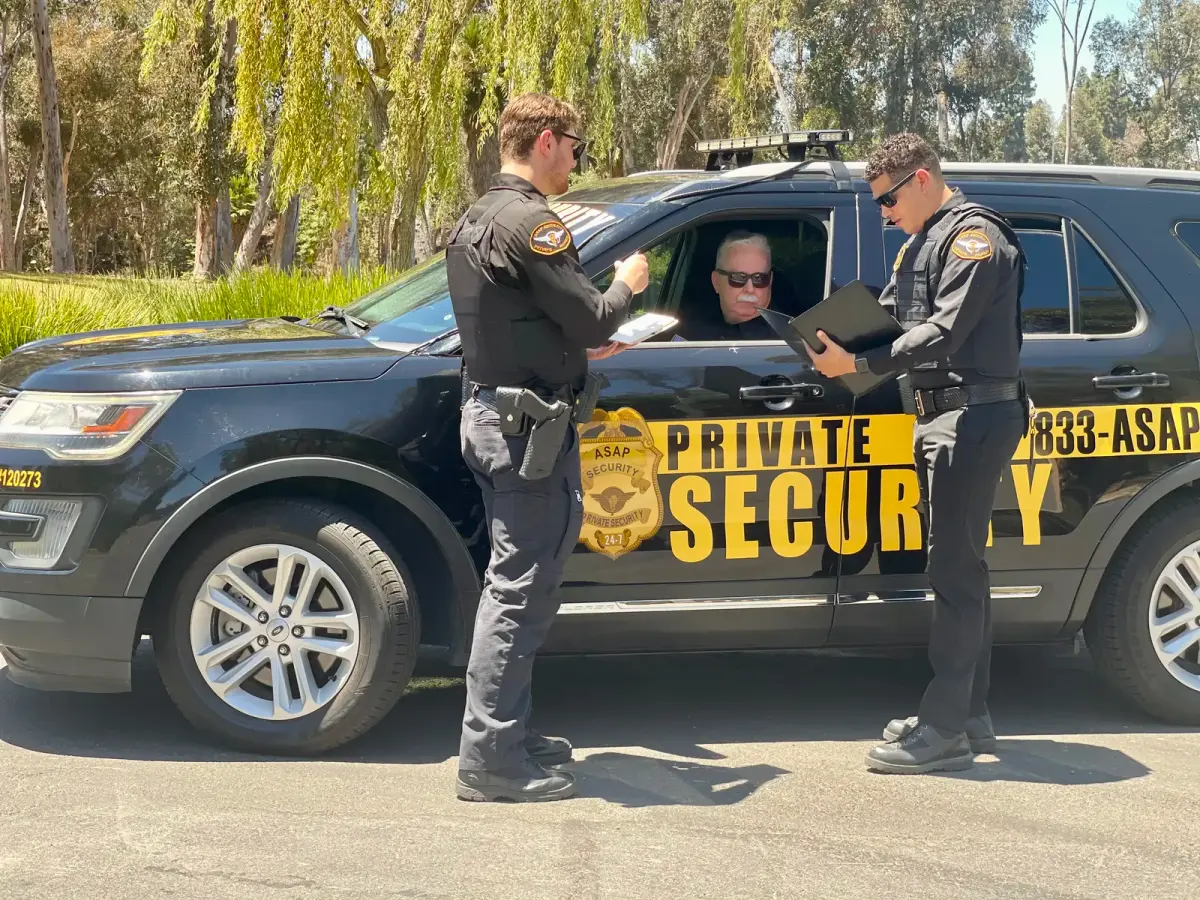
How should screening and temporary credentials work?
Screening should follow the facility’s written rules and the purpose of the visit. At minimum, staff generally need to establish the visitor’s reason for coming, the person or department they are visiting, and whether the visit has been authorized. Some sites may require an identity check or other steps. Managers should decide those requirements in advance and confirm they fit the organization’s applicable policies, instead of leaving frontline staff to improvise.
Apply the procedure consistently and respectfully. Staff can explain what is needed, offer a clear next step, and contact the designated decision-maker if information is missing. A calm explanation is often more useful than a confrontational exchange: “I can help confirm your appointment. Please wait here while I reach the host.” If the visitor declines a required step, staff should pause access and follow the escalation path rather than making an exception under pressure.
Temporary credentials can help employees distinguish visitors from staff and indicate whether an escort is required. Select a credential that is visible enough to support recognition without displaying unnecessary personal information. Define who issues it, what it permits, when it expires, and how it is returned. A visible badge is not proof of authorization for every floor or room; staff still need to follow area-specific rules.
Make the procedure specific for common mismatches. If a name does not appear on the appointment list, verify spelling and contact the host. If the visitor arrives early, have them wait in the designated area until the host confirms. If the appointment is canceled, do not treat an old email or badge as continuing permission. If the expected host has left, contact an authorized alternate. The key control is that someone with authority confirms access, not that a visitor gives a persuasive explanation.
| Arrival type | Check-in steps | Access approach |
|---|---|---|
| Expected guest | Confirm host, purpose, and necessary visit details | Issue a temporary credential and direct or escort under site policy |
| Unscheduled visitor | Contact host or authorized decision-maker before entry | Wait in the designated area until approval |
| Contractor | Confirm work scope, internal contact, and required briefing | Limit movement to approved work areas; escort if policy requires |
| Delivery driver | Verify receiving contact, destination, and delivery route | Use the designated receiving area, not unrestricted building access |
| After-hours arrival | Use named on-call contact and documented verification steps | Allow entry only after authorized confirmation |
How should staff handle exceptions and authority?
Write down who can make each decision. Reception may confirm an appointment and issue a standard visitor credential, while a department manager may approve an unscheduled meeting or access to a restricted work area. A security officer may pause entry, explain the procedure, and contact the designated approver. If employees cannot tell who has authority, visitors may receive different answers depending on whom they ask.
Set a simple escalation order: first contact the named host, then the alternate contact, then the manager or on-call lead identified for that shift. State what happens if no one responds. In many facilities, the safe default is to keep the visitor in the designated waiting area and defer access until an authorized person confirms. Staff should not be pressured to decide beyond their role merely because a visitor says the matter is urgent.
Define how to respond if someone tries to follow an employee through a controlled door, refuses to check in, or becomes upset about waiting. Staff should use calm, consistent language and follow their training. If the situation presents a safety concern, they should use the facility’s escalation and emergency procedures rather than attempting to resolve it alone. The written process should make that boundary clear.
How should deliveries and contractors be checked in?
Deliveries and contractors create different demands from a typical guest visit. Drivers may be on a tight route, carrying goods to a loading area, or unfamiliar with the building. Contractors may bring tools, work in service spaces, and return over several days. Treating every arrival as an identical guest can create confusion about where people may go and who is responsible for them.
Set a designated arrival point and a receiving contact. Decide what information is needed to coordinate the visit, such as company, destination, responsible employee, and expected arrival time. Avoid collecting extra details without a practical purpose. Tell drivers where to wait and whether they may proceed to a receiving area. For contractors, have the internal project contact confirm the work scope and permitted locations before access is granted.
For work lasting more than one day, define how recurring access is approved and how changes are communicated. A replacement worker should not automatically inherit a colleague’s authorization. Similarly, a contractor who needs access to another room or a different work period should be referred back to the person who can approve the change. Set an end date for temporary access and a process to retrieve or deactivate credentials when the assignment ends.
Plan for congestion as well as security. If several deliveries arrive during a narrow window, establish a queue or appointment method that does not block public entrances or emergency routes. Provide a clear sign or staff direction to the receiving location. At shift changes, make sure the incoming person knows which deliveries are expected, which contractors remain on site, and whether any approval is still pending.

How can the facility protect visitor privacy?
Visitor records may include personal information. Collect only details that serve a stated operational or security purpose, limit who can view the records, and set a retention period consistent with facility policy and applicable obligations. A form should not request sensitive information simply because the field is available. Managers should involve the people responsible for privacy and information security when choosing or configuring a digital tool.
Consider privacy at the point of collection, not only in storage. A paper sign-in sheet visible to the next person in line can reveal names and appointment details. A shared screen may expose one visitor’s information to people nearby. Arrange the check-in area so people can provide necessary details without unnecessarily exposing another person’s record. If staff use a manual log, define where it is kept when not in use and who may review it.
Tell visitors what information is collected and, where appropriate, how it is used. Keep records only as long as the organization’s documented policy requires. Decide how paper records are disposed of and how digital records are accessed, protected, and deleted. A security officer can carry out the approved procedure, but should not be expected to invent a retention or disclosure policy on the spot.
For general information-security resources, facility teams can consult the Cybersecurity and Infrastructure Security Agency. Its homepage is a starting point for broader guidance, not a substitute for legal advice or a review of obligations that apply to a particular organization.
What should procedures say about emergencies?
Visitor procedures should connect to the facility’s emergency plan. Guests may not know exits, alarm signals, assembly locations, or how to receive instructions. Decide how staff communicate during an evacuation, shelter-in-place direction, medical incident, or security concern. Also determine how the site accounts for visitors without delaying an immediate safety response.
- Identify who can activate the notification process and who gives instructions at the entrance.
- Provide directions that fit the situation. Do not direct visitors toward a known hazard or assume they understand internal terminology.
- Tell employees how to notify hosts and account for guests when it is safe to do so.
- Set a procedure for responders or other authorized personnel arriving during an incident.
- Practice relevant scenarios with employees and review the plan after building, staffing, or operating-hour changes.
Think through a practical example: an alarm sounds while two visitors are waiting for an appointment and a contractor is working in a service area. The procedure should identify who gives directions, how each person is guided toward safety, and who checks the visitor list after immediate movement to safety. It should not require reception staff to complete a log before following emergency instructions.
Make instructions understandable to people unfamiliar with the site. A visitor may not know which stairwell is “north” or where an assembly point is located. Consider how staff will communicate with people who need additional assistance or do not understand a verbal instruction. The facility’s emergency plan should set the operational details; visitor procedures should make sure guests are included in it.
When can trained officers support visitor management?
Technology may record visits, issue credentials, or control selected doors. It does not independently welcome a confused guest, assess an unexpected situation, contact a host, explain a route, or coordinate a human response. A trained officer can serve as a visible point of contact, follow site instructions, and communicate with employees or dispatch when an exception arises.
Depending on the assignment, an officer may monitor an entrance, confirm that check-in steps are followed, direct visitors, coordinate delivery arrivals, and document relevant activity. Those duties should be defined in written post instructions. Clarify what the officer may approve, what requires a manager, when an escort is required, and how to respond to refusal or escalation. Clear authority protects both the visitor experience and consistency between shifts.
Coverage should reflect actual arrival patterns. A staffed entrance during business hours may not address evening events, early deliveries, or a reception desk that closes before contractors leave. Review busy periods and handoffs, then establish whom employees contact when reception is closed. ASAP Security Guards provides physical, manned guarding and 24/7 live dispatch. Its GPS-tracked Daily Activity Reporting can document guard activity. Facility managers can review security guard services or use the contact page to discuss a site-specific need, 24/7 guard coverage, and digital activity reporting to understand where on-site support may fit.
Call (833) 272-7247 to review on-site support
How do people, procedures, and access systems fit together?
Visitor management is a process, not just a product category. A sign-in tool or access-control system may support the process, but a facility still needs clear rules, trained people, and an escalation plan. Before selecting or changing equipment, identify the operational gap. Is it hard to confirm appointments? Are entrances unattended? Are records handled inconsistently? Do contractors reach restricted areas without a clear escort rule?
Use the answer to assign responsibilities among employees, officers, and technology. For example, a system may register a visit and issue a credential while an officer confirms the destination and explains the route. A camera may provide a view of an entrance while a person reviews a concern and contacts the responsible employee. The system does not automatically make a sound authorization decision unless it is deliberately configured and overseen to do so.
Separate what the technology records from what staff must decide. A pre-registered name can be useful, but a staff member still needs to confirm that the person is at the correct facility and that the visit remains authorized. A door-control system may limit entry to a space, but it does not explain to a visitor why access is denied or whom to call. A paper log may capture arrivals, but it cannot make a decision about an escort. These distinctions help prevent a facility from expecting one tool to solve every operational problem.
If the facility is considering cameras alongside staff and procedures, review CCTV system options and 24/7 CCTV monitoring. Video systems have a different role from visitor check-in rules. Managers should define the purpose of each measure, who monitors it, and how concerns are escalated.
How should managers review visitor-flow problems over time?
A visitor process needs occasional review because buildings, staffing, and routines change. A useful review does not need a complicated measurement system. Start with a short list of operational questions and examine them at set intervals: Where do visitors wait? Which arrivals require staff to make an exception? How often is the host unavailable? Are people arriving at the wrong entrance? These observations can show whether the procedure is clear and whether it still fits the site.
Use a consistent way to document exceptions. A brief note might record the date and shift, the kind of arrival, the point of confusion, the person notified, and how the issue was resolved. Avoid collecting unnecessary personal details in an operational review. The purpose is to identify a repeated process problem, not to create a second visitor database. Store and share notes according to the facility’s information-handling rules.
Look for patterns rather than judging a single unusual event. If several visitors arrive without a host listed, the scheduling process may need clearer instructions. If delivery drivers repeatedly stop at the public lobby, signs or directions from the receiving contact may be inadequate. If a host is commonly unavailable during a particular time window, name an alternate or establish an approval method for that period. Each observed pattern should lead to an owner and a practical correction.
Consider a simple monthly or quarterly review involving reception, property management, and the people assigned to the entrance. Compare the current instructions with actual conditions: operating hours, access points, tenant or department contacts, delivery routes, and contractor schedules. Walk the route again after construction or a change in building use. If the process uses a digital sign-in system, check whether the fields and notification list remain current; if it uses paper, confirm the log is stored and handled as intended.
Use both a routine case and a challenging case when checking staff readiness. One scenario could be an expected visitor who has arrived at the correct desk. Another could be a vendor who has no appointment and asks to proceed directly to a restricted area. Ask staff to describe what they would say, where the person waits, who makes the decision, and how the result is recorded. A brief rehearsal can clarify roles without turning every interaction into a lengthy procedure.
Finally, communicate revisions to everyone who works with arrivals. Replacing the written procedure is not enough if employees still rely on an old contact sheet or an outdated sign. Set a date for the change, remove obsolete copies, and make sure after-hours personnel receive the same instructions as daytime staff. This modest follow-through can prevent a carefully designed process from breaking down at a handoff.
What should a manager test before launch?
Before a revised procedure goes live, test it with realistic examples and the people who will use it. Ask reception staff, property personnel, and officers to walk through expected and unexpected arrivals. Can they find the host contact? Do they know who can approve access? Can they explain what happens next without searching through conflicting instructions? A short tabletop exercise can expose gaps before a busy day reveals them.
- Are entrances and visitor routes clearly marked and consistent with actual operations?
- Is there an alternate contact when a host is unavailable?
- Are temporary credentials visible, limited to their purpose, and returned or deactivated?
- Do delivery and contractor procedures reflect the receiving area and work schedule?
- Are visitor details limited, protected, and retained under a defined policy?
- Can staff communicate emergency directions and account for visitors when safe?
- Are duties and escalation authority clear for every shift?
- Do the procedures state what to do when a visitor declines a required step?
Run separate scenarios for routine and unusual cases. A manager might test an expected guest, an unlisted vendor, a contractor whose work scope changes, and a delivery arriving after reception closes. For each one, record where the person waits, who is contacted, who can approve access, and what happens if that contact does not respond. This makes the policy practical instead of merely descriptive.
After launch, ask the people working at the entrance what is slowing arrivals or causing repeated exceptions. If visitors routinely queue at the wrong door, improve directions or adjust the route. If employees repeatedly bypass sign-in, find out whether the process is unclear or poorly timed. Do not assume that adding more rules will fix a procedure that does not match the building’s actual flow.
Review the process after a move, renovation, change in hours, or change in building use. Update contact lists and access instructions at the same time. If a facility uses security service FAQs or other employee references, check that they do not contradict the current procedure. A single, current version is easier to follow than several old copies at different desks.
Call (833) 272-7247 to discuss visitor procedures
Frequently asked questions
Does visitor management security require a digital system?
No. A paper log or another manual process may work if it meets the facility’s operational needs and privacy obligations. Digital tools can help organize records or credentials, but the process still needs clear authorization rules and people responsible for exceptions.
Should every visitor be escorted?
That depends on the facility’s layout, access restrictions, visitor type, and written policy. Managers should define which areas require an escort and apply that rule consistently instead of making ad hoc decisions at the entrance.
What should staff do if a host cannot be reached?
Follow the documented escalation path, keep the visitor in the designated waiting area, and avoid granting access until an authorized person confirms the visit. The procedure should name an alternate contact for each relevant shift.
Can an access-control system replace a person at reception?
Not by itself. A system can manage credentials or restrict doors, but a person may still need to explain the process, verify an exception, contact a host, or help a visitor navigate the site. Decide which tasks require human judgment and assign them clearly.
How can officers work alongside access-control technology?
Officers can communicate with visitors, follow site instructions, observe activity, contact hosts, and escalate unusual situations. They complement technology and employee procedures; they do not replace a facility’s hardware, software, or authorization policy.
Visitor management works best when the process is understandable, consistently applied, and connected to the facility’s broader safety plan. Map the visitor journey, clarify responsibilities, protect personal information, and train the people who handle arrivals so legitimate visitors can be welcomed with confidence.
